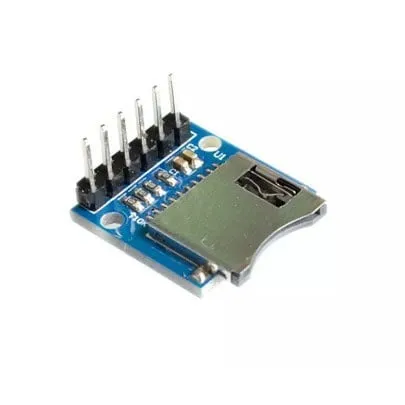
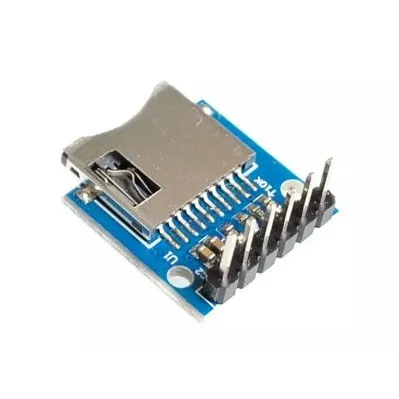
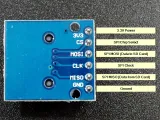
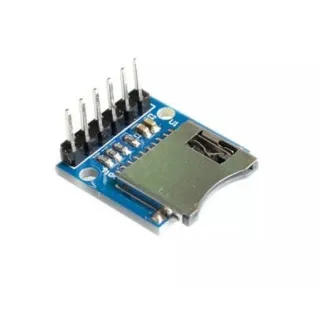
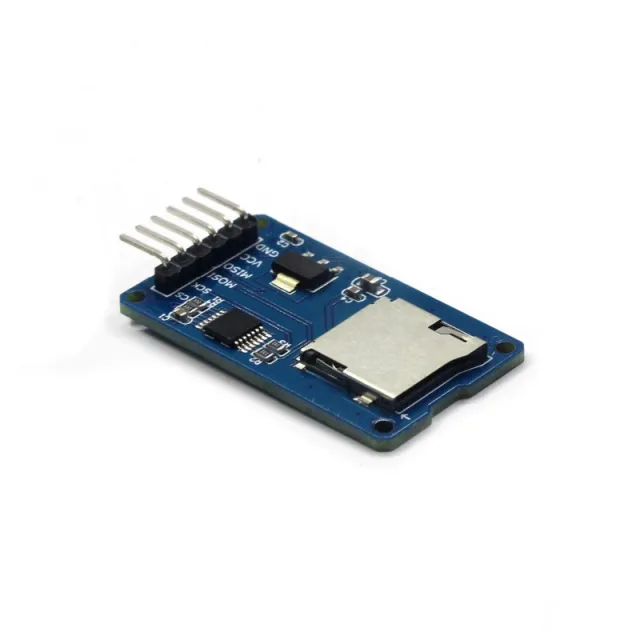
Eenvoudige MicroSD kaartlezer module voor ESP32 en ESP8266 op 3.3V.
SKU: OT2044-D79 Número do artigo: AA440 EAN: 8720589817333 Localização: D07.09
Alternativa
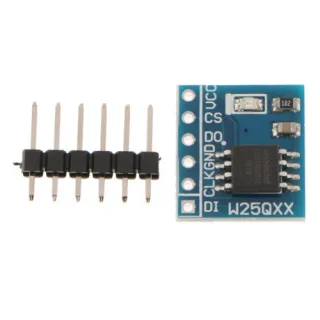
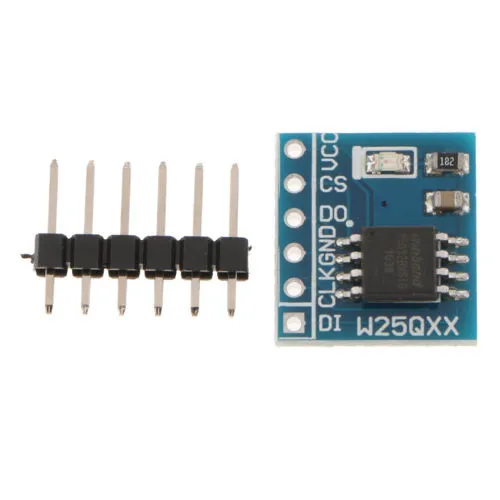
Módulo de memória flash 8MB SPI W25Q64FW
€ 2,60
Ver esta alternativa
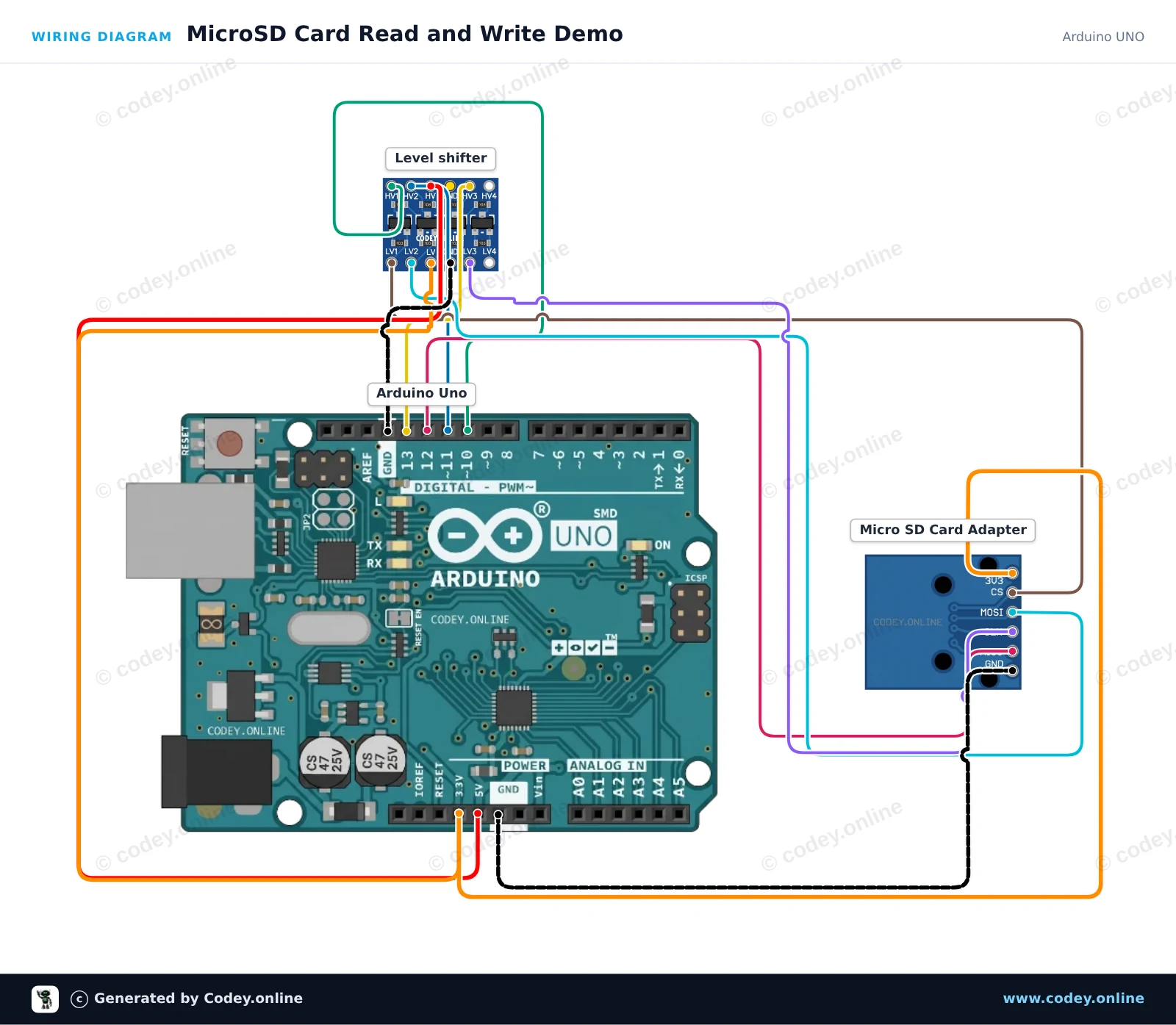
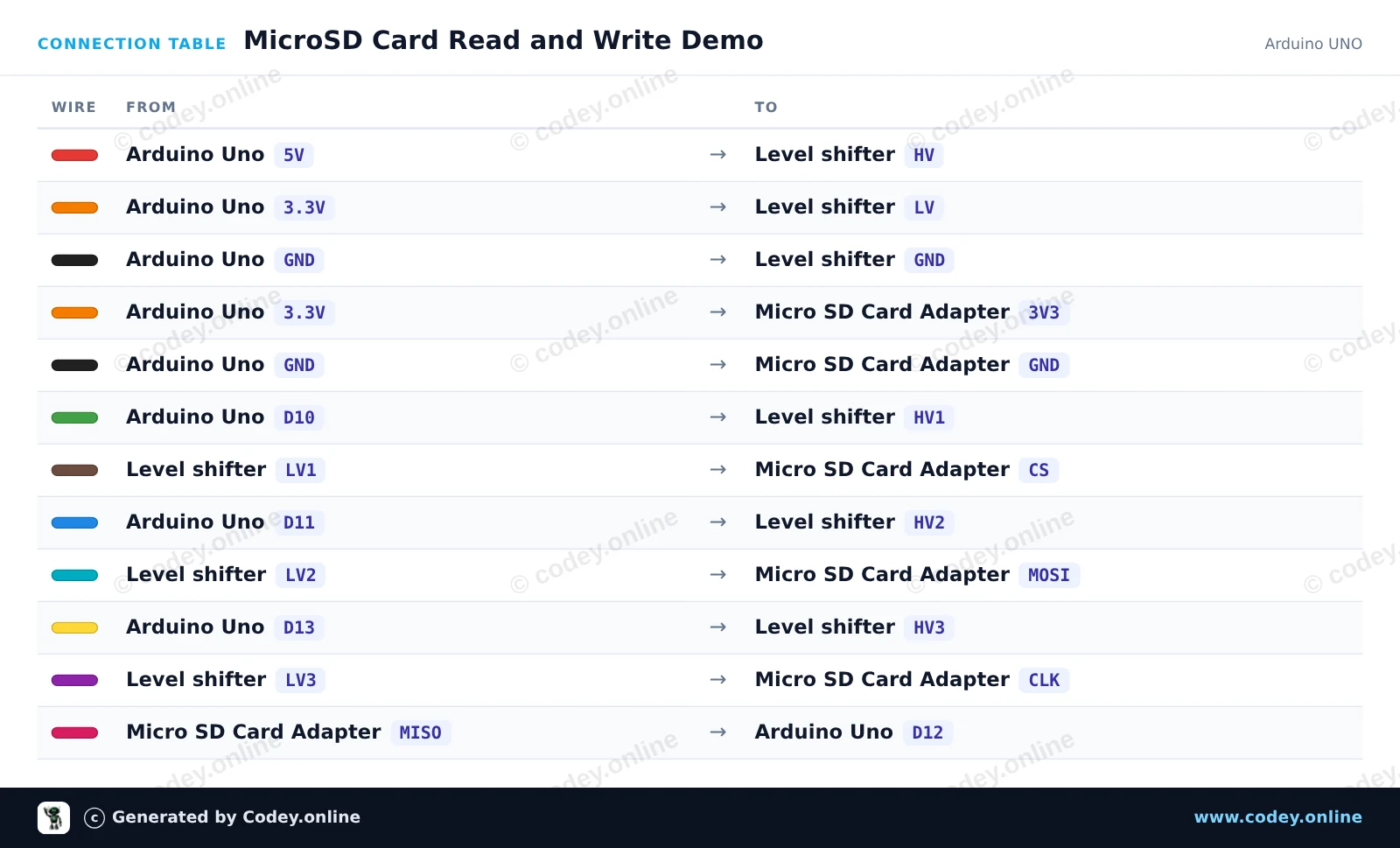
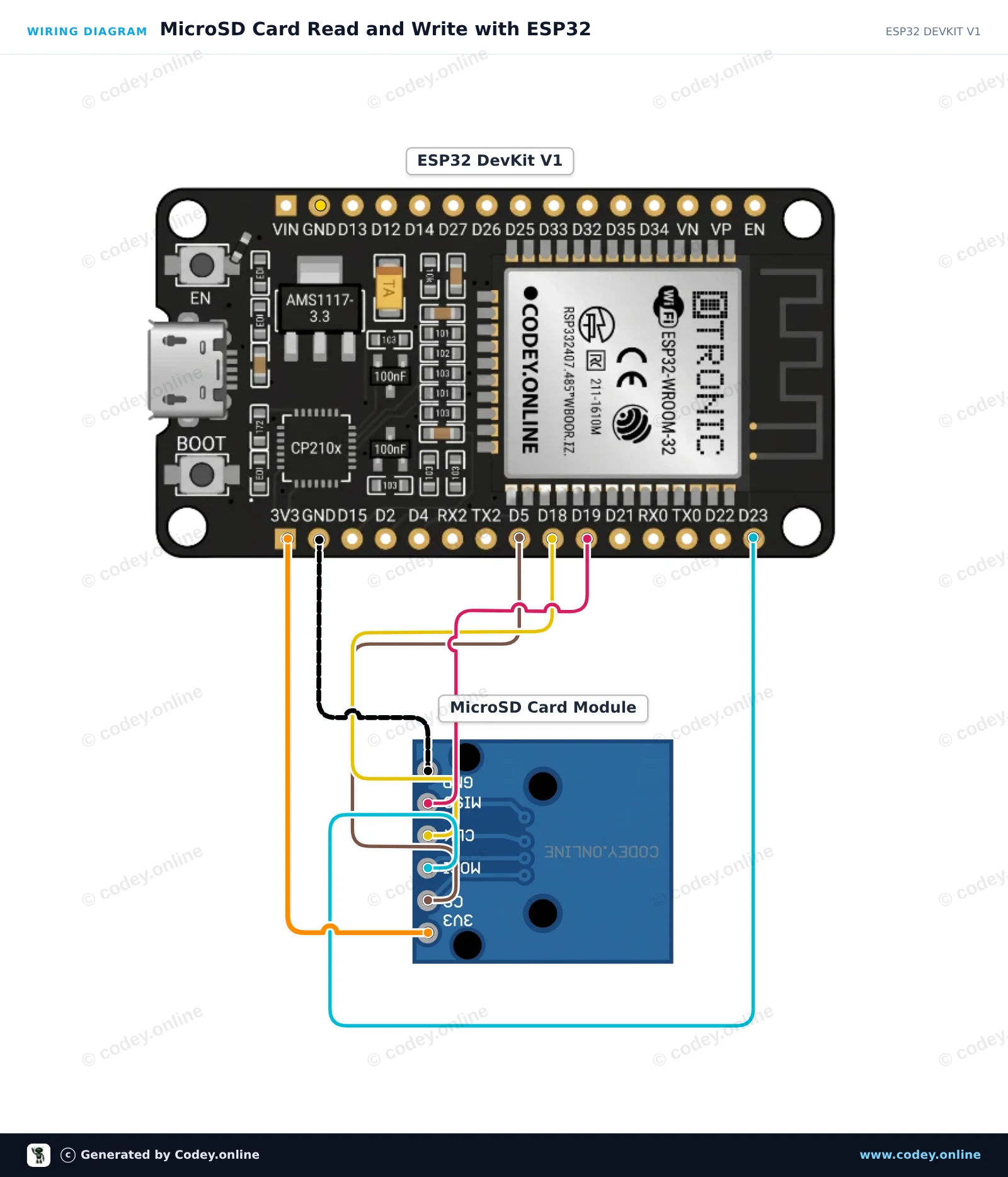
Como ligar o Módulo de cartão Micro SD 3.3V para ESP32 | ESP8266 a um Arduino UNO ou ESP32, com um sketch de exemplo que podes carregar já.
This project demonstrates writing text to a microSD card and reading it back via SPI. A 4-channel logic level shifter safely translates the Arduino Uno's 5V logic signals down to 3.3V for the microSD card module. Open the Serial Monitor at 115200 baud to view the initialization status and file contents.
/*
* ==================================================================
* Generated by Codey.online — https://www.codey.online
* ==================================================================
* Project : MicroSD Card Read and Write Demo
* Board : Arduino UNO (arduino:avr:uno)
* Parts : Micro SD Card Adapter Module 3.3V
* Libraries : none (built-in)
*
* Codey Online is an AI-powered browser IDE for Arduino and ESP32.
* Describe your project and Codey writes the code, draws the wiring
* diagram and uploads it to your board, straight from the browser.
* This code is free to use, modify and share, without warranty.
* ==================================================================
*/
#include <SPI.h>
#include <SD.h>
const int chipSelect = 10;
void setup() {
Serial.begin(115200);
while (!Serial) {
; // Wait for serial port to connect
}
Serial.println(F("Initializing SD card..."));
if (!SD.begin(chipSelect)) {
Serial.println(F("Initialization failed! Check connections & SD card."));
return;
}
Serial.println(F("Initialization done."));
// Write to file
File myFile = SD.open("demo.txt", FILE_WRITE);
if (myFile) {
Serial.println(F("Writing to demo.txt..."));
myFile.println(F("MicroSD card read/write test successful!"));
myFile.close();
Serial.println(F("Done writing."));
} else {
Serial.println(F("Error opening demo.txt for writing."));
}
// Read from file
myFile = SD.open("demo.txt");
if (myFile) {
Serial.println(F("Contents of demo.txt:"));
while (myFile.available()) {
Serial.write(myFile.read());
}
myFile.close();
} else {
Serial.println(F("Error opening demo.txt for reading."));
}
}
void loop() {
// Idle
}
Wiring diagram and example code generated by Codey.online — https://www.codey.online
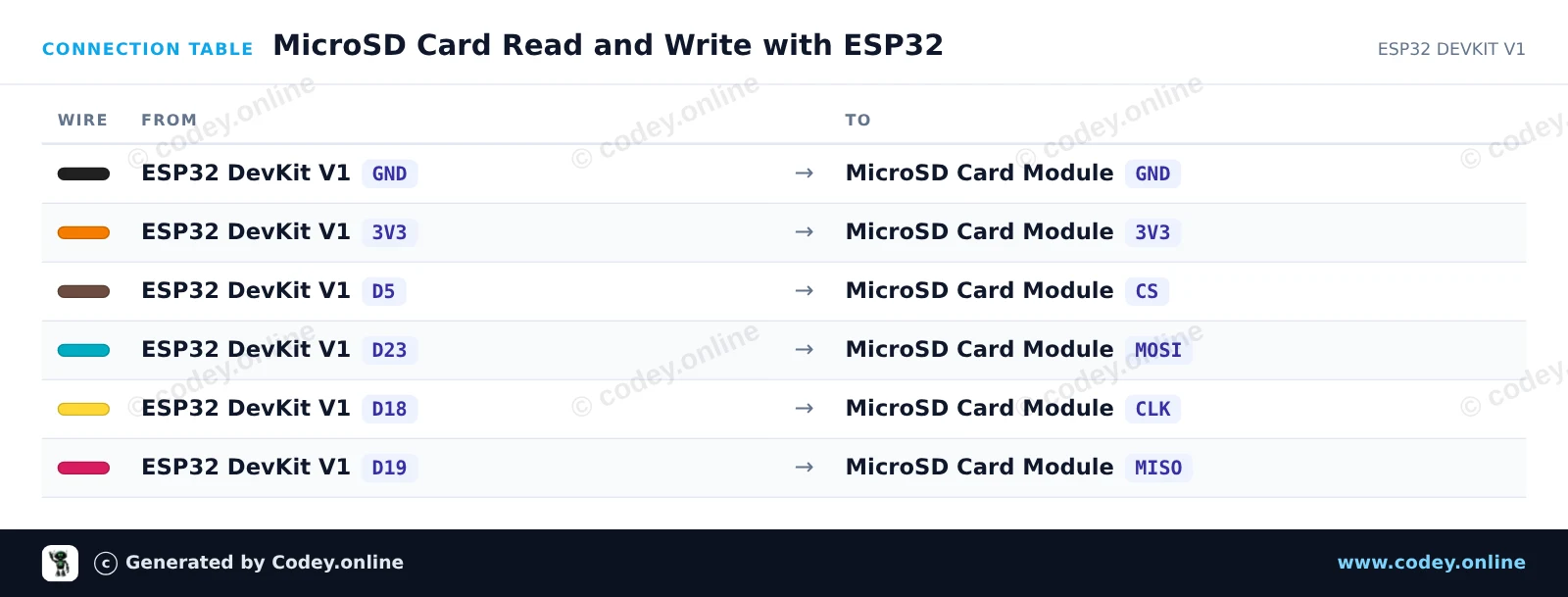
This example demonstrates how to interface a 3.3V MicroSD card module with the ESP32 using the default hardware SPI bus (VSPI). The sketch initializes the SD card, writes a test message to a file, and reads it back to display on the Serial Monitor.
/*
* ==================================================================
* Generated by Codey.online — https://www.codey.online
* ==================================================================
* Project : MicroSD Card Read and Write with ESP32
* Board : ESP32 DEVKIT V1 (esp32:esp32:esp32doit-devkit-v1)
* Parts : Micro SD Card Adapter Module 3.3V
* Libraries : none (built-in)
*
* Codey Online is an AI-powered browser IDE for Arduino and ESP32.
* Describe your project and Codey writes the code, draws the wiring
* diagram and uploads it to your board, straight from the browser.
* This code is free to use, modify and share, without warranty.
* ==================================================================
*/
#include "FS.h"
#include "SD.h"
#include "SPI.h"
const int chipSelect = 5;
void setup() {
Serial.begin(115200);
while (!Serial) { delay(10); }
Serial.println("\n--- MicroSD Card Demo ---");
// Initialize SD card on default VSPI pins (CS = GPIO 5)
if (!SD.begin(chipSelect)) {
Serial.println("Card Mount Failed! Check wiring and make sure card is FAT32 formatted.");
return;
}
uint8_t cardType = SD.cardType();
if (cardType == CARD_NONE) {
Serial.println("No SD card attached.");
return;
}
Serial.print("SD Card Type: ");
if (cardType == CARD_MMC) {
Serial.println("MMC");
} else if (cardType == CARD_SD) {
Serial.println("SDSC");
} else if (cardType == CARD_SDHC) {
Serial.println("SDHC");
} else {
Serial.println("UNKNOWN");
}
uint64_t cardSize = SD.cardSize() / (1024 * 1024);
Serial.printf("SD Card Size: %lluMB\n", cardSize);
// Write to a test file
Serial.println("Writing to test.txt...");
File file = SD.open("/test.txt", FILE_WRITE);
if (file) {
file.println("Hello from ESP32!");
file.println("MicroSD read/write test successful.");
file.close();
Serial.println("Write complete.");
} else {
Serial.println("Failed to open file for writing.");
return;
}
// Read back the test file
Serial.println("Reading from test.txt:");
file = SD.open("/test.txt");
if (file) {
while (file.available()) {
Serial.write(file.read());
}
file.close();
} else {
Serial.println("Failed to open file for reading.");
}
}
void loop() {
// Nothing to repeat in this test
delay(1000);
}
Wiring diagram and example code generated by Codey.online — https://www.codey.online
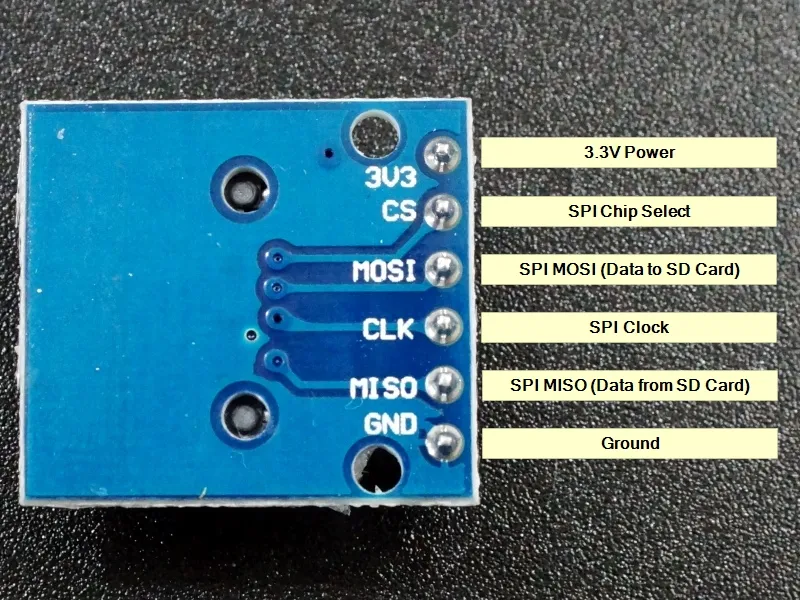
Módulo leitor de cartão MicroSD simples. Devido ao seu funcionamento a 3.3V, é muito adequado para, por exemplo, ESP32 ou ESP8266. O módulo está equipado com os necessários resistores pull-up de 10K nas linhas de dados.
Especificações:
– Tensão de funcionamento: 3.3V
- Tipo de slot micro SD: Push-Pull
– Interface: SPI
– Tensão de funcionamento (nível lógico): 3.3V
Headers de pinos já pré-soldados.
Dimensões
Comprimento: 2cm
Largura: 1,8cm
Altura: 1,1cm

| Largura | 1,8cm |
|---|---|
| Tensão de operação | 3.3V |
| Comprimento | 2 cm |
| Altura | 1,1 cm |
| Tipo de slot micro SD | Push-Pull |
faz o que comprei para fazer.
Simples e bom.
Funciona bem
Não ficas satisfeito? Tens 30 dias após a receção para devolver o produto.
Tudo sobre devoluções
Módulo de cartão Micro SD 3.3V para ESP32 | ESP8266