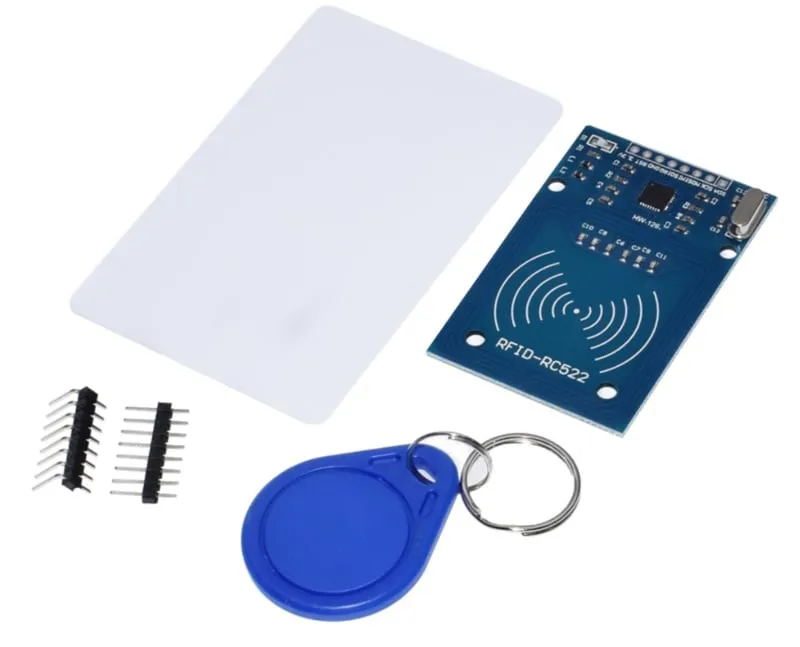
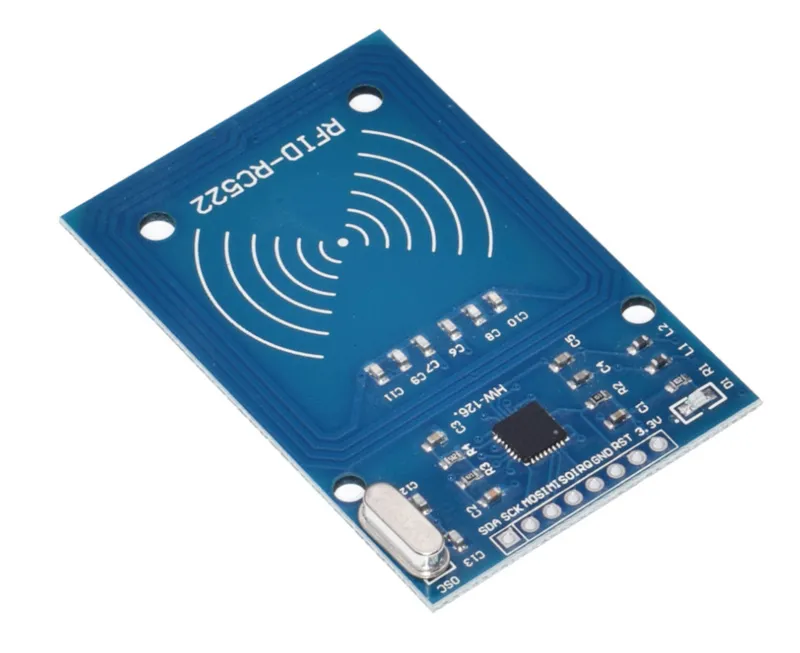
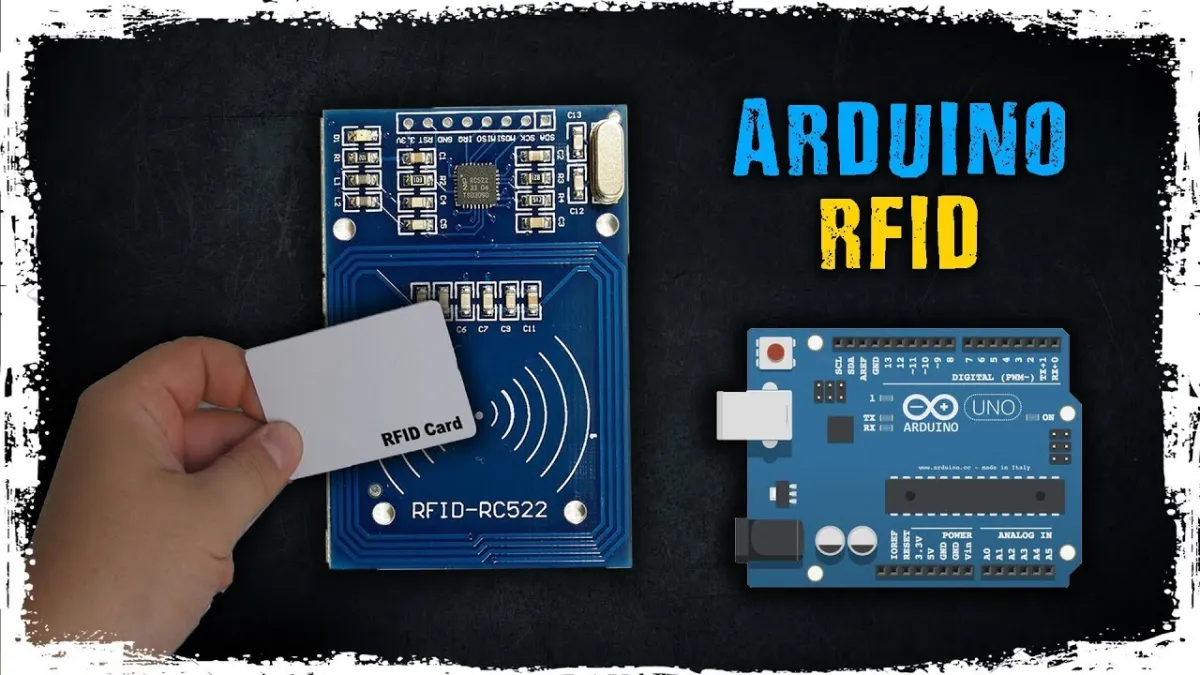
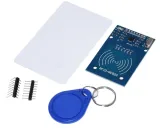
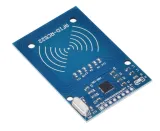
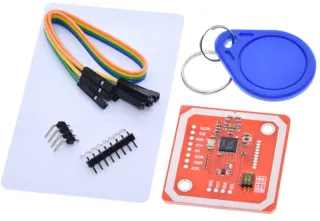
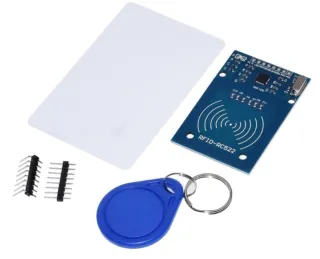
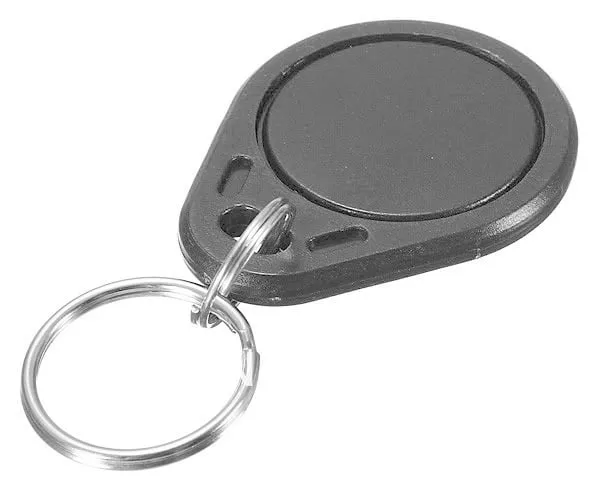
RFID (NFC) kit om zelf een deur te openen met key tag of key card.
SKU: OT705-D81 Número do artigo: AA128 EAN: 8720618827890 Localização: D08.01
Alternativa
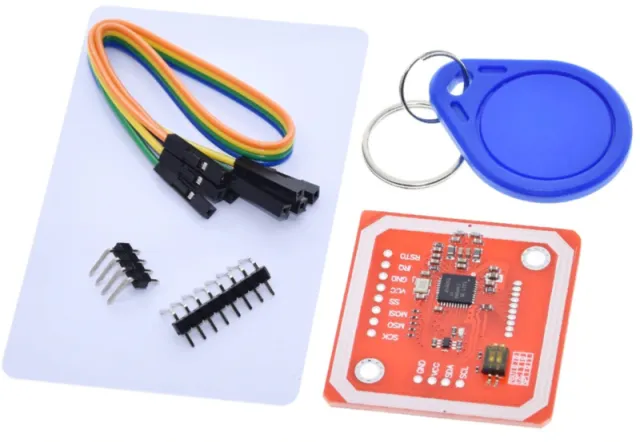
Kit PN532 RFID NFC com Cartão S50 e Key Tag S50
€ 6,60
Ver esta alternativa
Como ligar o Kit RFID-RC522 NFC MFRC522 S50 Mifare incl. RFID Fudan Card e Key Tag a um Arduino UNO ou ESP32, com um sketch de exemplo que podes carregar já.
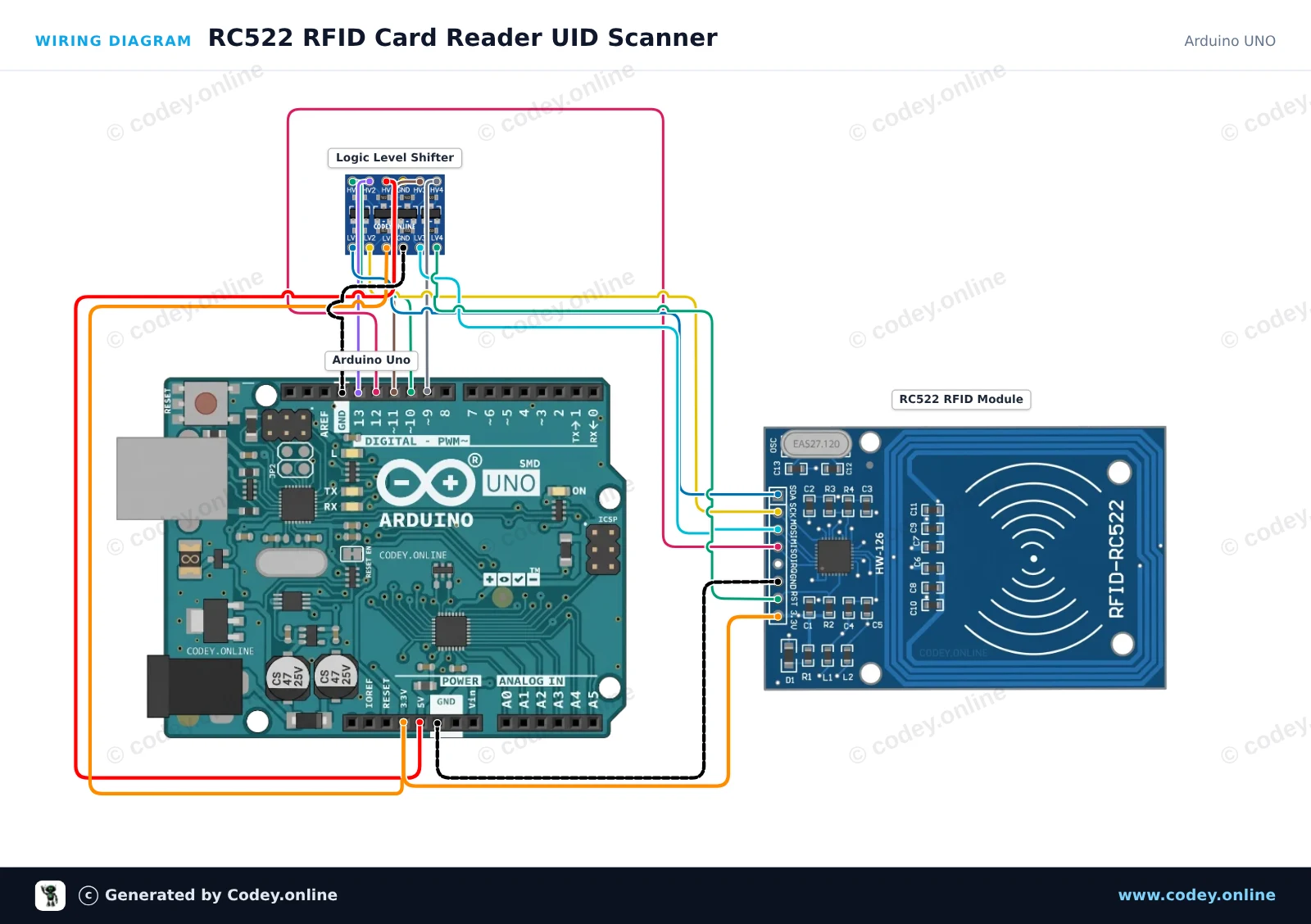
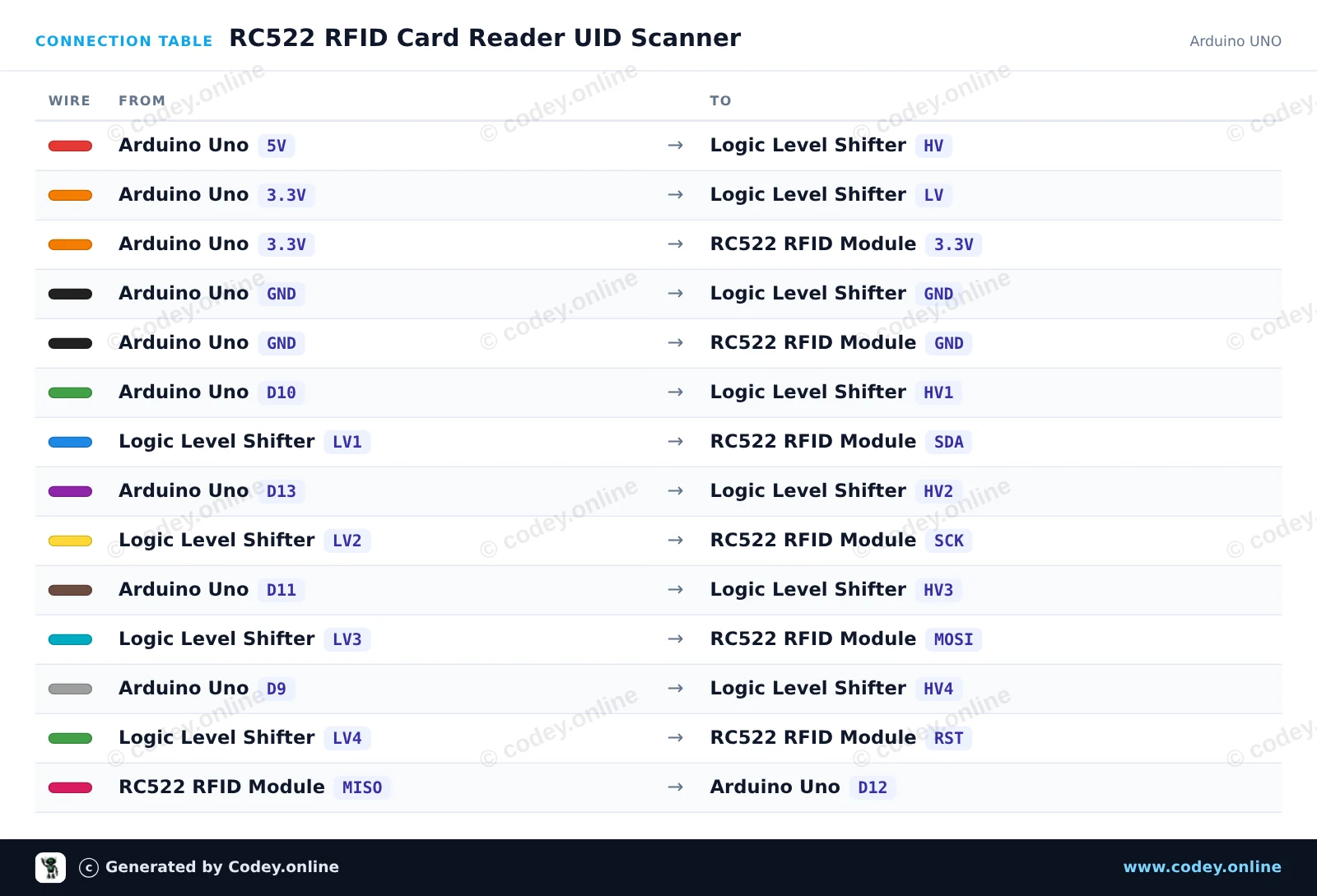
This project reads the unique identifier (UID) and card type from 13.56 MHz RFID cards or key fobs using the RC522 module. An external 4-channel logic level shifter safely translates the Arduino Uno's 5V SPI and control signals to 3.3V. Open the Serial Monitor at 115200 baud and bring a card close to the reader to view its UID.
/*
* ==================================================================
* Generated by Codey.online — https://www.codey.online
* ==================================================================
* Project : RC522 RFID Card Reader UID Scanner
* Board : Arduino UNO (arduino:avr:uno)
* Parts : RFID RC522 Module 13.56MHz
* Libraries : MFRC522 1.4.12
*
* Codey Online is an AI-powered browser IDE for Arduino and ESP32.
* Describe your project and Codey writes the code, draws the wiring
* diagram and uploads it to your board, straight from the browser.
* This code is free to use, modify and share, without warranty.
* ==================================================================
*/
#include <SPI.h>
#include <MFRC522.h>
#define SS_PIN 10
#define RST_PIN 9
MFRC522 rfid(SS_PIN, RST_PIN);
void setup() {
Serial.begin(115200);
while (!Serial) {
; // Wait for serial port
}
SPI.begin();
rfid.PCD_Init();
Serial.println(F("RC522 RFID Reader Ready."));
Serial.println(F("Place an RFID card/tag near the antenna..."));
}
void loop() {
// Look for new RFID cards
if (!rfid.PICC_IsNewCardPresent() || !rfid.PICC_ReadCardSerial()) {
return;
}
Serial.print(F("Card UID: "));
for (byte i = 0; i < rfid.uid.size; i++) {
if (rfid.uid.uidByte[i] < 0x10) {
Serial.print(F("0"));
}
Serial.print(rfid.uid.uidByte[i], HEX);
if (i < rfid.uid.size - 1) {
Serial.print(F(" "));
}
}
Serial.println();
// Print card type
MFRC522::PICC_Type piccType = rfid.PICC_GetType(rfid.uid.sak);
Serial.print(F("Card Type: "));
Serial.println(rfid.PICC_GetTypeName(piccType));
Serial.println();
// Stop reading current card
rfid.PICC_HaltA();
rfid.PCD_StopCrypto1();
}
Bibliotecas necessárias: MFRC522 1.4.12
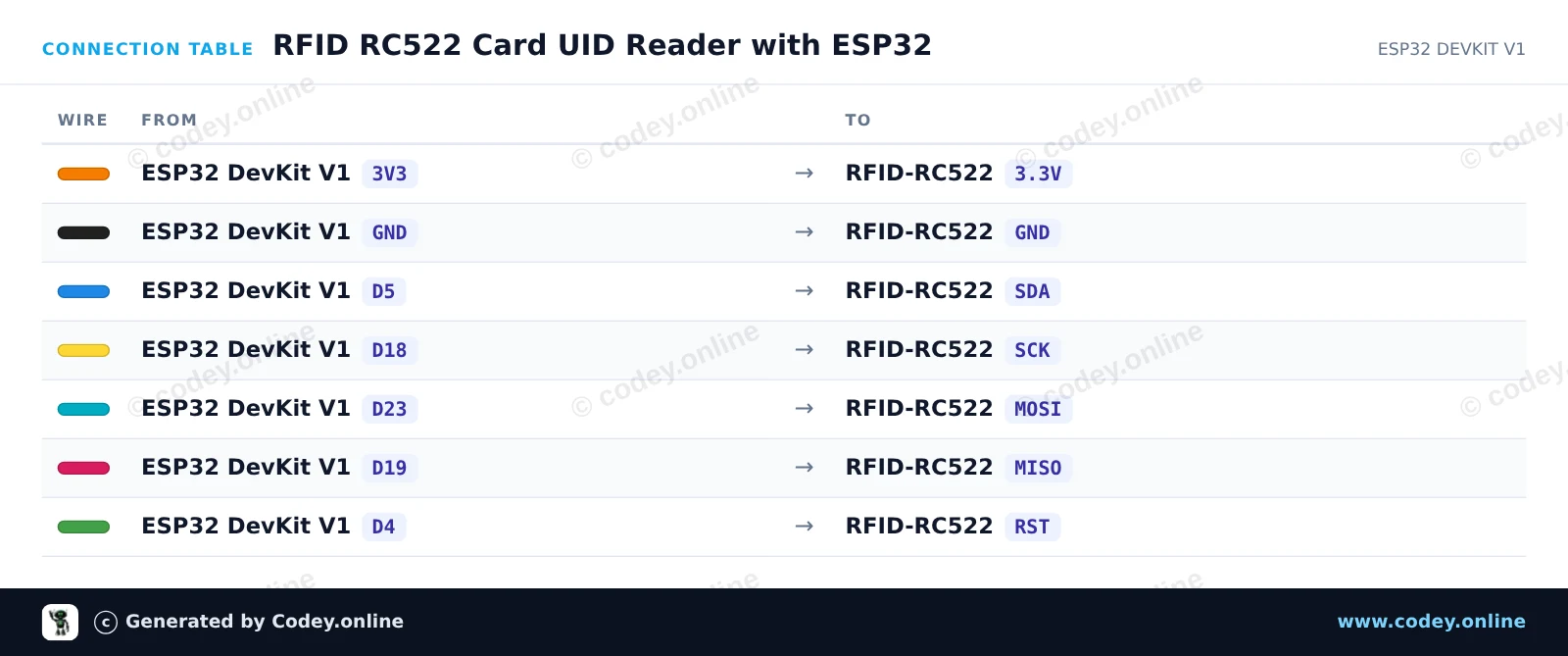
Wiring diagram and example code generated by Codey.online — https://www.codey.online
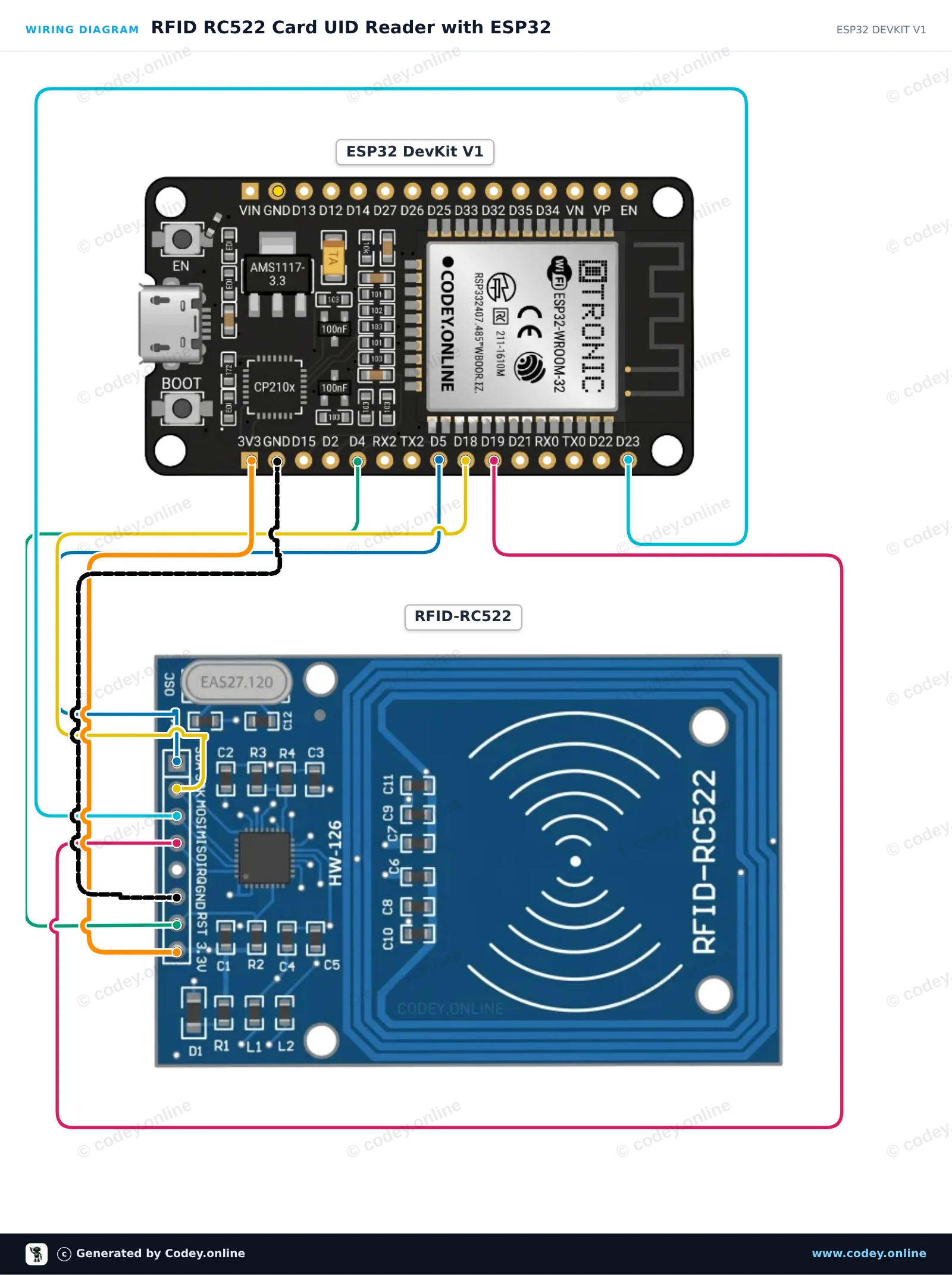
This project reads RFID tags and smart cards using the RC522 13.56 MHz RFID module over SPI. When a card or key fob is brought near the reader, its Unique Identifier (UID) and card type are printed to the Serial Monitor.
/*
* ==================================================================
* Generated by Codey.online — https://www.codey.online
* ==================================================================
* Project : RFID RC522 Card UID Reader with ESP32
* Board : ESP32 DEVKIT V1 (esp32:esp32:esp32doit-devkit-v1)
* Parts : RFID RC522 Module 13.56MHz
* Libraries : MFRC522 1.4.12
*
* Codey Online is an AI-powered browser IDE for Arduino and ESP32.
* Describe your project and Codey writes the code, draws the wiring
* diagram and uploads it to your board, straight from the browser.
* This code is free to use, modify and share, without warranty.
* ==================================================================
*/
#include <SPI.h>
#include <MFRC522.h>
#define SS_PIN 5
#define RST_PIN 4
MFRC522 rfid(SS_PIN, RST_PIN);
void setup() {
Serial.begin(115200);
while (!Serial);
SPI.begin(); // Initialize SPI bus
rfid.PCD_Init(); // Initialize MFRC522 reader
Serial.println("--- RFID RC522 Initialized ---");
Serial.println("Hold an RFID card or key fob near the reader...");
}
void loop() {
// Look for new RFID cards
if (!rfid.PICC_IsNewCardPresent()) {
return;
}
// Select one of the cards
if (!rfid.PICC_ReadCardSerial()) {
return;
}
// Print Card UID
Serial.print("Card UID: ");
for (byte i = 0; i < rfid.uid.size; i++) {
if (rfid.uid.uidByte[i] < 0x10) {
Serial.print(" 0");
} else {
Serial.print(" ");
}
Serial.print(rfid.uid.uidByte[i], HEX);
}
Serial.println();
// Print PICC type
MFRC522::PICC_Type piccType = rfid.PICC_GetType(rfid.uid.sak);
Serial.print("Card Type: ");
Serial.println(rfid.PICC_GetTypeName(piccType));
// Halt PICC and stop encryption
rfid.PICC_HaltA();
rfid.PCD_StopCrypto1();
delay(1000);
}
Bibliotecas necessárias: MFRC522 1.4.12
Wiring diagram and example code generated by Codey.online — https://www.codey.online
Abra uma porta com o seu key tag ou key card. Pode fazê-lo você mesmo com este kit RFID (NFC).
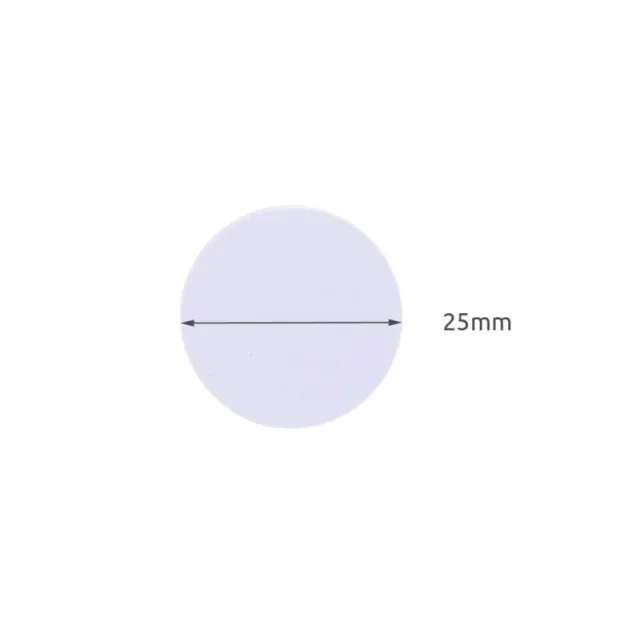
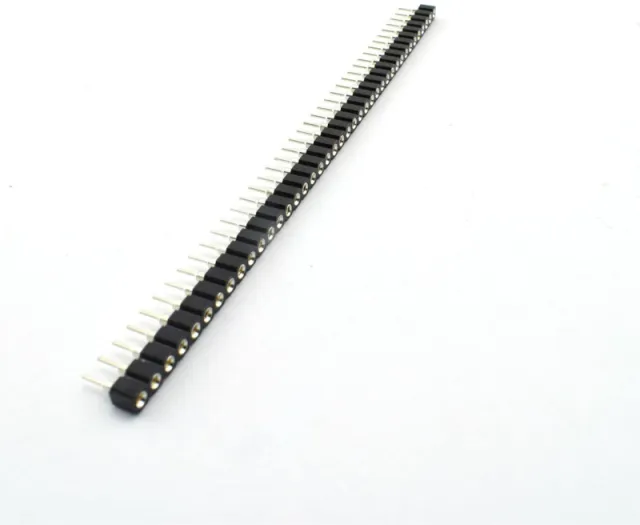
Inclui S50 Key tag, S50 Key Card, headers normais e headers de 90 graus.
veja aqui o Esquema de ligação e o código de exemplo >>>
Frequência de trabalho: 13.56 MHz
Cartões suportados*: Mifare1 S50, Mifare1 S70, Mifare UltraLight, Mifare Pro, Mifare Desfire
Dimensões: 40mm x 60mm
Tensão: 3.3V DC
Corrente nominal: 13-26mA / DC 3.3V
Corrente em idle: 10-13mA / DC 3.3V
Consumo em modo de suspensão: <80uA
Corrente de pico: <30mA
Termos de pesquisa: rfid, rfid kit, rfid-kit, rfid set, nfc set, nfc kit
Dimensões
Comprimento: 6cm
Largura: 4cm
Altura: 0,2cm
| Dimensões | 40 mm x 60 mm |
|---|---|
| Largura | 4cm |
| Comprimento | 6 cm |
| Altura | 0,2 cm |
| Corrente nominal | 13-26 mA |
| Frequência de trabalho | 13.56 MHz |
| Cartões suportados | Mifare1 S50, Mifare1 S70, Mifare UltraLight, Mifare Pro, Mifare Desfire |
| Corrente em standby | 10-13 mA |
Faz exatamente o que tem de fazer.
Ok, funciona.
Entrega rápida. Bem embalado. Funciona perfeitamente.
Ainda tenho de começar a usá-lo, mas parece estar de acordo com as expectativas
Não ficas satisfeito? Tens 30 dias após a receção para devolver o produto.
Tudo sobre devoluções
Kit RFID-RC522 NFC MFRC522 S50 Mifare incl. RFID Fudan Card e Key Tag